Comparing Smart Digital Libraries for Seniors
An overview of smart digital libraries that offer easy access to books and resources for older adults.
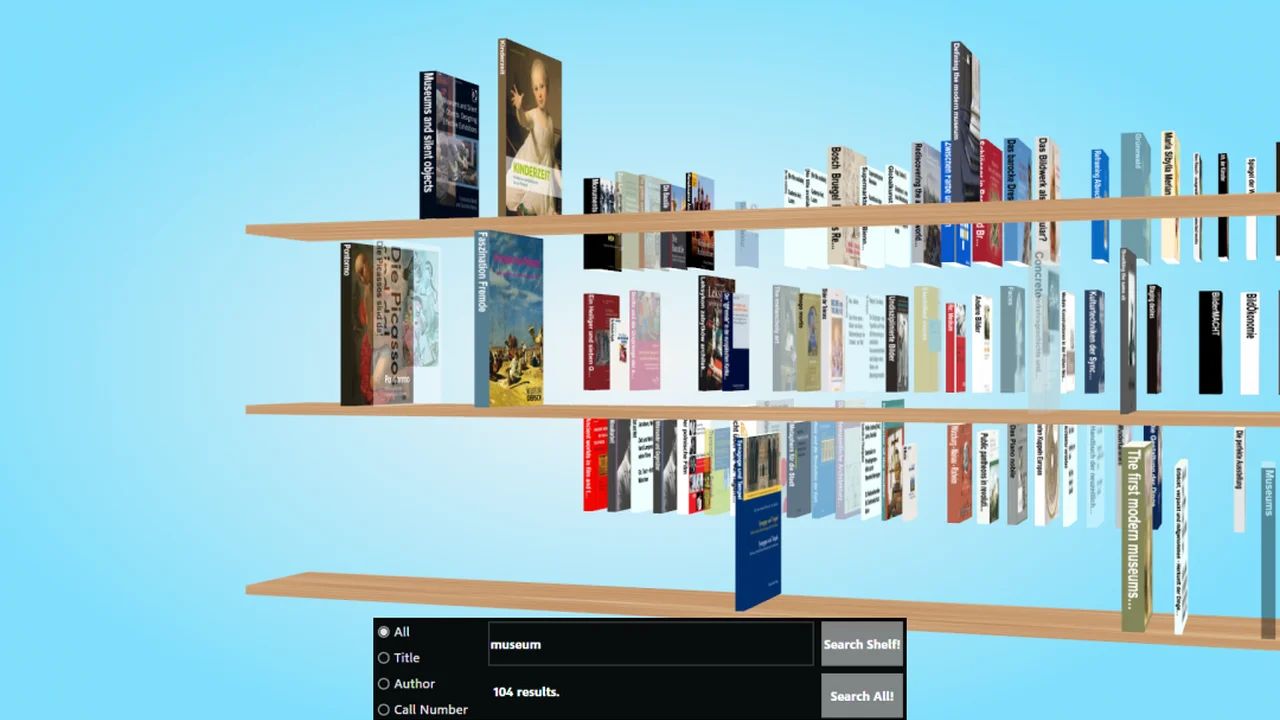
An overview of smart digital libraries that offer easy access to books and resources for older adults.
Comparing Smart Digital Libraries for Seniors
Hey there, fellow knowledge seekers and bookworms! Are you or a senior loved one looking for an easier way to dive into the wonderful world of books, audiobooks, and even movies without leaving the comfort of home? Well, you're in luck! Smart digital libraries are revolutionizing how older adults access a vast universe of content. Forget about trips to the physical library, worrying about overdue fines, or struggling with heavy books. Digital libraries bring the entire collection right to your fingertips, often for free with your existing library card.
But with so many options out there, how do you pick the best one? That's where we come in! We're going to take a deep dive into some of the most popular and senior-friendly smart digital library platforms, comparing their features, ease of use, content availability, and even some specific product recommendations to get you started. Let's get reading!
Understanding Digital Library Platforms for Seniors
Before we jump into specific platforms, let's clarify what we mean by a 'smart digital library.' Essentially, these are online services that partner with public libraries to allow their patrons to borrow digital versions of books, audiobooks, magazines, and sometimes even videos and music. You access them through an app on your smartphone, tablet, computer, or even a dedicated e-reader. The 'smart' part comes from features like automatic returns, personalized recommendations, and accessibility options that make them particularly user-friendly for seniors.
Key Features to Look for in Senior-Friendly Digital Libraries
- Ease of Use and Interface: Is the app intuitive? Are buttons large and clearly labeled? Can you easily navigate between sections?
- Content Variety and Availability: Does it offer a wide range of genres, bestsellers, and new releases? Are audiobooks plentiful?
- Accessibility Features: Can you adjust font sizes, contrast, and use text-to-speech? Is it compatible with screen readers?
- Device Compatibility: Does it work on your preferred device – iPad, Android tablet, Kindle, Kobo, or computer?
- Borrowing and Holding System: Is it easy to borrow, place holds, and manage your loans?
- Offline Access: Can you download content to read or listen to without an internet connection?
OverDrive and Libby The Gold Standard for Digital Books
When it comes to digital libraries, OverDrive and its newer, more user-friendly app, Libby, are often the first names that come to mind. They are by far the most widely adopted platforms by public libraries across the United States and many other countries, including parts of Southeast Asia.
OverDrive Libby Features and Benefits for Seniors
- Vast Library Network: Chances are, your local public library already uses OverDrive/Libby. This means you can access their entire digital collection with your existing library card.
- User-Friendly Interface: Libby, in particular, was designed with simplicity in mind. It has a clean, intuitive interface with large cover art and clear navigation. It's much easier to use than the older OverDrive app.
- Books, Audiobooks, Magazines: Libby offers a huge selection of eBooks, audiobooks, and even digital magazines. You can switch between reading and listening seamlessly.
- Automatic Returns: No more late fees! Digital loans automatically expire and return themselves, so you never have to worry.
- Adjustable Reading Experience: You can customize font size, background color, and even font style to make reading comfortable for your eyes. For audiobooks, you can adjust playback speed.
- Send to Kindle: If you have a Kindle e-reader, Libby makes it super easy to send borrowed eBooks directly to your device. This is a huge plus for many seniors who prefer the e-ink screen.
- Multiple Library Cards: You can add multiple library cards from different library systems (if you have them) to access even more content.
Using Libby Specific Scenarios and Product Recommendations
Scenario 1: The Avid Reader Who Loves Physical Books but Wants Convenience
If you're someone who loves the feel of a book but wants the convenience of digital, Libby on an e-reader is a fantastic combination. The e-ink screen is easy on the eyes, especially for long reading sessions, and the device is lightweight.
- Recommended Product: Kindle Paperwhite (Latest Generation)
- Price: Around $140-$160 USD
- Why it's great for seniors: Glare-free display that reads like real paper, adjustable warm light for night reading, long battery life (weeks!), lightweight, and direct integration with Libby for easy borrowing. The interface is simple and focused solely on reading.
- Usage: Borrow a book on the Libby app on your phone/tablet, then choose the 'Send to Kindle' option. It will appear on your Kindle automatically when connected to Wi-Fi.
- Recommended Product: Kobo Clara 2E
- Price: Around $140-$150 USD
- Why it's great for seniors: Similar to Kindle Paperwhite with an e-ink screen and adjustable light. Kobo e-readers have built-in OverDrive integration, meaning you can browse and borrow directly from the device without needing a separate phone/tablet. This can be simpler for some users.
- Usage: Connect to Wi-Fi, go to 'More' -> 'OverDrive' on your Kobo, sign in with your library card, and browse/borrow directly.
Scenario 2: The Listener Who Enjoys Audiobooks While Doing Chores or Relaxing
Audiobooks are a game-changer for many seniors, especially those with vision challenges or who enjoy multitasking. Libby has an excellent audiobook player.
- Recommended Product: Any modern smartphone or tablet (iPad, Samsung Galaxy Tab, etc.)
- Price: Varies widely, from $150 (basic tablet) to $800+ (premium smartphone/tablet)
- Why it's great for seniors: Large screens for easy navigation, built-in speakers, and Bluetooth connectivity for headphones or external speakers. The Libby app works flawlessly on these devices.
- Usage: Download the Libby app, sign in with your library card, browse for audiobooks, and hit play. You can connect Bluetooth headphones (like JBL Tune 510BT) for private listening or use the device's speakers.
- Recommended Product: JBL Tune 510BT Wireless On-Ear Headphones
- Price: Around $30-$50 USD
- Why it's great for seniors: Affordable, lightweight, comfortable on-ear design (less intrusive than in-ear buds), good sound quality for audiobooks, and easy Bluetooth pairing.
- Usage: Pair with your smartphone or tablet, open Libby, and enjoy your audiobook privately.
Scenario 3: The Tech-Savvy Senior Who Wants Everything on One Device
If you're comfortable with tablets and want to read, listen, and browse the internet all on one device, a tablet is your best bet.
- Recommended Product: Apple iPad (Standard Model)
- Price: Around $329-$450 USD
- Why it's great for seniors: Incredibly intuitive operating system (iPadOS), large and vibrant display, excellent accessibility features (Zoom, larger text, VoiceOver), and a vast app store including Libby. Apple's ecosystem is generally very user-friendly.
- Usage: Download Libby from the App Store. Use it for reading eBooks, listening to audiobooks, and browsing digital magazines.
- Recommended Product: Samsung Galaxy Tab A8
- Price: Around $180-$250 USD
- Why it's great for seniors: More affordable Android alternative to the iPad. Good screen size, decent performance for reading and audio, and access to the Google Play Store for Libby and other apps.
- Usage: Download Libby from the Google Play Store. Enjoy your digital content.
Hoopla Digital More Than Just Books
Hoopla Digital is another fantastic digital library platform that many public libraries offer. While Libby focuses heavily on books and audiobooks, Hoopla stands out for its broader range of media, including movies, TV shows, music albums, and comics, in addition to eBooks and audiobooks.
Hoopla Digital Features and Benefits for Seniors
- Instant Access: Unlike Libby, where you might have to wait for popular titles (like a physical library), Hoopla generally offers instant access to its entire collection. No holds, no waiting! This is a huge convenience.
- Diverse Content: Beyond books and audiobooks, Hoopla offers a great selection of movies, TV series, music albums, and graphic novels/comics. This makes it a one-stop shop for digital entertainment.
- Borrowing Limits: Most libraries set a monthly borrowing limit (e.g., 5-10 titles per month), which resets. This encourages mindful borrowing.
- User-Friendly Apps: Hoopla's apps are generally well-designed and easy to navigate on various devices.
- Offline Downloads: You can download content for offline viewing or listening, perfect for travel or areas with spotty internet.
Using Hoopla Specific Scenarios and Product Recommendations
Scenario 1: The Entertainment Enthusiast Who Loves Movies and Music
If you're looking for more than just books and want to stream movies or listen to music, Hoopla is an excellent choice.
- Recommended Product: Smart TV or Streaming Device (Roku, Amazon Fire TV Stick)
- Price: Smart TVs vary widely; Roku/Fire TV Stick around $30-$50 USD
- Why it's great for seniors: Hoopla has apps for most smart TVs and streaming devices. This allows you to watch movies and TV shows from your library on the big screen, which is much more comfortable than a small tablet.
- Usage: Download the Hoopla app on your smart TV or streaming stick, sign in with your library card, and start streaming movies or TV shows.
- Recommended Product: Bluetooth Speaker (e.g., JBL Flip 6)
- Price: Around $100-$130 USD
- Why it's great for seniors: Portable, good sound quality for music and audiobooks, easy to connect to a phone or tablet via Bluetooth. Can make listening to music from Hoopla more enjoyable than through device speakers.
- Usage: Pair with your smartphone or tablet, open Hoopla, and play music albums or audiobooks through the speaker.
Scenario 2: The Comic Book or Graphic Novel Fan
Hoopla has a surprisingly robust collection of digital comics and graphic novels, often with a 'guided view' feature that makes reading panel by panel easy.
- Recommended Product: Larger Tablet (e.g., iPad Air or Samsung Galaxy Tab S8)
- Price: iPad Air around $599-$750 USD; Galaxy Tab S8 around $699-$800 USD
- Why it's great for seniors: While pricier, the larger, higher-resolution screens make reading comics and graphic novels a much better experience, allowing you to see details clearly.
- Usage: Download the Hoopla app. Enjoy the vibrant colors and detailed artwork of digital comics.
Kanopy Educational and Arthouse Films
Kanopy is another digital streaming service often offered by public libraries and universities. It specializes in thoughtful, enriching films, including documentaries, independent films, classic cinema, and educational content from The Great Courses. It's less about mainstream blockbusters and more about quality, curated content.
Kanopy Features and Benefits for Seniors
- Curated Film Collection: If you appreciate cinema beyond Hollywood blockbusters, Kanopy is a treasure trove. It's perfect for those who enjoy documentaries, foreign films, and classic movies.
- Educational Content: Access to The Great Courses, which are university-level lectures on a wide range of subjects, is a huge benefit for lifelong learners.
- Monthly Play Credits: Similar to Hoopla, most libraries give you a certain number of play credits per month (e.g., 5-10 films).
- Device Compatibility: Available on web browsers, iOS, Android, Roku, Apple TV, Amazon Fire TV, and more.
Using Kanopy Specific Scenarios and Product Recommendations
Scenario: The Lifelong Learner and Film Connoisseur
If you love learning new things or appreciate a good independent film, Kanopy is a must-have.
- Recommended Product: Smart TV or Streaming Device (Roku, Apple TV 4K)
- Price: Roku/Fire TV Stick around $30-$50 USD; Apple TV 4K around $129-$149 USD
- Why it's great for seniors: Watching documentaries and films is best on a large screen. These devices make it easy to access Kanopy directly on your television. Apple TV 4K offers a very polished and user-friendly interface.
- Usage: Download the Kanopy app on your streaming device, sign in with your library card, and explore the vast collection of films and courses.
CloudLibrary Another Strong Contender
CloudLibrary is another digital library platform used by many public libraries, particularly in North America. It offers a clean interface and a good selection of eBooks and audiobooks.
CloudLibrary Features and Benefits for Seniors
- Clean Interface: CloudLibrary boasts a very straightforward and uncluttered interface, which can be less overwhelming for some users.
- Good Selection: While its content might vary more by library system than OverDrive, it generally offers a solid collection of popular titles.
- Easy Borrowing: The process of borrowing and managing loans is very intuitive.
- Device Compatibility: Works on iOS, Android, Kindle Fire, Nook, Kobo, and computers.
Using CloudLibrary Specific Scenarios and Product Recommendations
Scenario: The Senior Who Prefers Simplicity and a Clean Reading Experience
If you find some apps too busy, CloudLibrary's minimalist design might appeal to you.
- Recommended Product: Amazon Fire HD 8 Tablet
- Price: Around $99-$120 USD
- Why it's great for seniors: Affordable, decent screen size, and CloudLibrary has a dedicated app for Fire tablets. It's a good entry-level tablet for digital reading and audiobooks.
- Usage: Download the CloudLibrary app from the Amazon Appstore. Enjoy reading and listening.
Getting Started with Digital Libraries A Step-by-Step Guide
Ready to dive in? Here's a simple guide to get you started:
- Get a Library Card: If you don't have one, visit your local public library. Most libraries require proof of residency.
- Check Your Library's Offerings: Go to your public library's website. Look for sections like 'Digital Resources,' 'eBooks,' 'Audiobooks,' or 'Streaming.' They will list which platforms they support (Libby/OverDrive, Hoopla, Kanopy, CloudLibrary, etc.).
- Download the App: Go to your device's app store (Apple App Store for iPhones/iPads, Google Play Store for Android phones/tablets, Amazon Appstore for Fire tablets) and search for the app(s) your library uses.
- Sign In with Your Library Card: Open the app, select your library, and enter your library card number and PIN (if required).
- Start Browsing and Borrowing: Explore the collections! Search for titles, browse by genre, or check out recommended lists. When you find something you like, simply 'borrow' it.
- Enjoy Your Content: Read eBooks directly in the app, listen to audiobooks, or stream movies. Content will automatically return when your loan period is up.
Tips for Seniors Using Digital Libraries
- Start Simple: If you're new to digital technology, begin with one platform, like Libby, as it's very user-friendly for reading and listening.
- Adjust Settings: Don't forget to use the accessibility settings within the apps and on your device (e.g., larger text, higher contrast) to make the experience more comfortable.
- Use Wi-Fi: Always download content over Wi-Fi to avoid using up your mobile data plan.
- Explore Audiobooks: If reading on a screen becomes tiring, switch to audiobooks. They're fantastic for relaxation and can be enjoyed while doing other activities.
- Ask for Help: Don't hesitate to ask a family member, friend, or even your local library staff for assistance. Libraries often offer workshops or one-on-one help for digital resources.
- Experiment with Devices: Try different devices if possible. An e-reader might be best for reading, while a tablet is great for audiobooks and video.
Smart digital libraries are an incredible resource for seniors, offering unparalleled access to a world of information and entertainment. By understanding the different platforms and choosing the right devices, you can unlock a lifetime of reading, listening, and learning, all from the comfort of your home. Happy exploring!
:max_bytes(150000):strip_icc()/277019-baked-pork-chops-with-cream-of-mushroom-soup-DDMFS-beauty-4x3-BG-7505-5762b731cf30447d9cbbbbbf387beafa.jpg)