Comparing Smart Vision Aids for Low Vision
An overview of smart vision aids that enhance reading and daily tasks for seniors with impaired vision.
An overview of smart vision aids that enhance reading and daily tasks for seniors with impaired vision.
Comparing Smart Vision Aids for Low Vision
As we age, our vision can naturally decline, leading to conditions like macular degeneration, glaucoma, and diabetic retinopathy, which cause low vision. This isn't just about needing stronger glasses; it's about a significant impairment that can make daily tasks incredibly challenging. But here's the good news: technology has stepped up in a big way! Smart vision aids are revolutionizing how seniors with low vision interact with the world, helping them read, recognize faces, navigate their surroundings, and maintain their independence. These aren't your grandma's magnifying glasses; we're talking about sophisticated devices that use AI, advanced optics, and connectivity to truly enhance sight.
In this comprehensive guide, we're going to dive deep into the world of smart vision aids. We'll explore different types of devices, compare their features, discuss their ideal use cases, and even give you a ballpark idea of their cost. Our goal is to help you or your loved one find the perfect smart vision solution to make life easier and more fulfilling.
Understanding Smart Vision Aids What Are They
Smart vision aids are a broad category of assistive technologies designed to help individuals with low vision. Unlike traditional optical magnifiers, these devices often incorporate digital cameras, screens, and processing power to enhance images, adjust contrast, and even convert text to speech. They leverage cutting-edge technology to compensate for visual impairments, making the world more accessible. Think of them as a personalized visual assistant, always ready to help you see better.
Types of Smart Vision Aids Digital Magnifiers and Wearables
There are several main types of smart vision aids, each with its own strengths and ideal applications:
- Handheld Digital Magnifiers: These are portable devices with a screen and a camera that magnify text and objects. They're great for reading menus, labels, or price tags on the go.
- Desktop Video Magnifiers (CCTVs): Larger, stationary devices with a high-resolution camera and a large monitor. Perfect for extended reading, writing, or hobbies at home.
- Wearable Smart Glasses: These are perhaps the most futuristic. They look like regular glasses but contain cameras and displays that project enhanced images directly into your field of view. Some even have AI capabilities for object recognition and text-to-speech.
- Smartphone and Tablet Apps: Many apps leverage your device's camera to provide magnification, color inversion, and text-to-speech features. While not dedicated devices, they can be a good starting point.
Top Smart Vision Aids for Reading and Daily Tasks Product Comparison
Let's get down to specific products. We've selected a few of the most popular and highly-rated smart vision aids on the market, covering different categories and price points. Remember, prices are approximate and can vary based on retailers and promotions.
OrCam MyEye Pro The Ultimate Wearable Vision Assistant
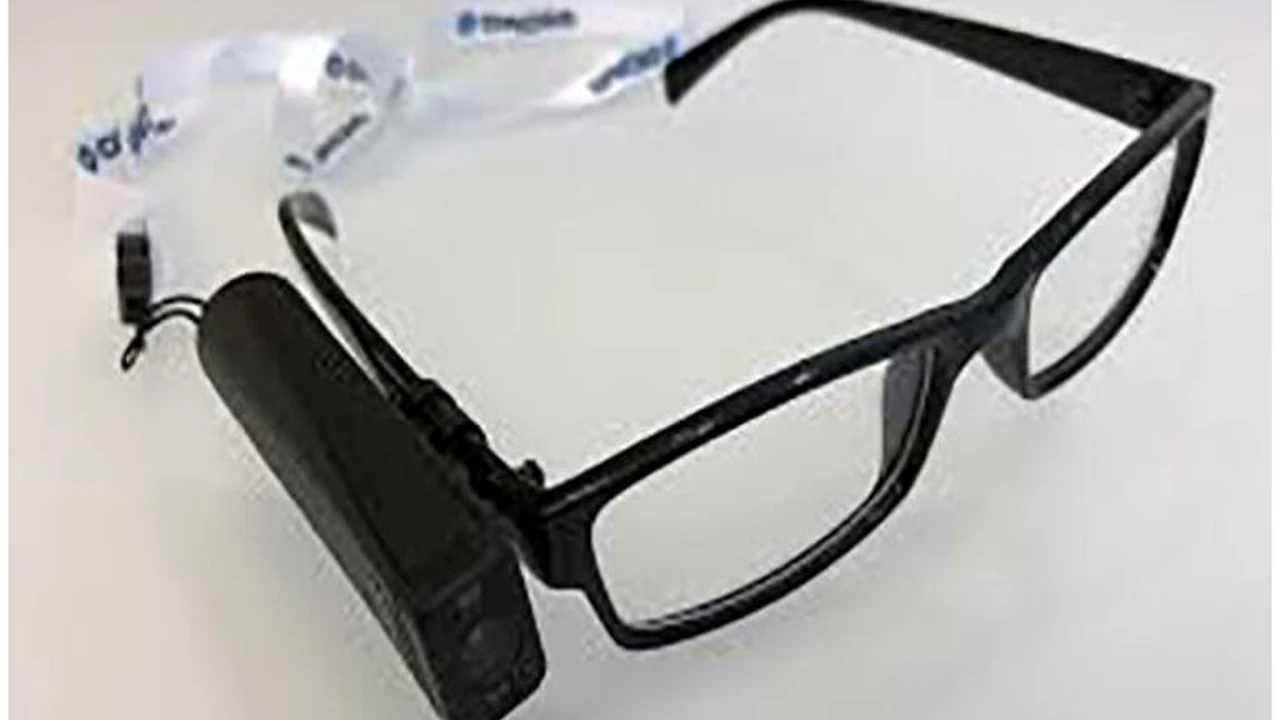
The OrCam MyEye Pro is a revolutionary device that clips onto almost any pair of glasses. It's incredibly discreet and powerful, designed to help with a wide range of daily tasks.
- Key Features:
- Text Reading: Reads any printed or digital text aloud instantly, from books and newspapers to smartphone screens and product labels.
- Face Recognition: Learns and recognizes faces of friends, family, and colleagues, announcing who is in front of you.
- Product Identification: Identifies products, allowing you to know what's in your pantry or on a shelf.
- Barcode Reading: Scans barcodes to provide product information.
- Color Identification: Identifies colors of clothing or objects.
- Money Denomination: Recognizes currency notes.
- Smart Reading: Allows you to ask to read specific parts of a text, like headlines or phone numbers.
- Gesture Control: Responds to simple hand gestures.
- Offline Functionality: Works completely offline, ensuring privacy and accessibility anywhere.
- Ideal Usage Scenarios: Perfect for active seniors who want to maintain independence in various settings – reading at home, shopping, dining out, recognizing people at social gatherings, or navigating public spaces. It's particularly useful for those who need hands-free assistance.
- Pros: Extremely versatile, discreet, portable, works offline, comprehensive features for daily living.
- Cons: High price point, requires some learning curve for gestures, battery life can be a consideration for all-day use.
- Approximate Price: $3,500 - $4,500 USD
IrisVision Inspire Enhanced Vision for Everyday Life
IrisVision Inspire is a wearable low vision aid that uses virtual reality technology to enhance remaining vision. It's designed to provide a wide field of view and customizable magnification.
- Key Features:
- Wide Field of View: Offers an immersive experience with a broad visual field, making it easier to see surroundings.
- Customizable Magnification: Adjustable magnification levels to suit individual needs, from 1x to 14x.
- Multiple Viewing Modes: Includes various modes like Bioptic (for distance viewing), Reading (for close-up tasks), and Scene (for general awareness).
- OCR (Optical Character Recognition): Reads text aloud.
- Contrast Enhancement: Adjusts contrast and color modes for better visibility.
- Lightweight Design: Designed for comfort during extended wear.
- Voice Commands: Allows for hands-free control.
- Ideal Usage Scenarios: Excellent for seniors who want to watch TV, see faces across a room, read books, or engage in hobbies like painting or crafting. It's particularly beneficial for those with central vision loss.
- Pros: Wide field of view, comfortable for extended use, good for both near and distance viewing, voice control.
- Cons: Can be bulky compared to regular glasses, higher price point, may not be suitable for all types of low vision.
- Approximate Price: $2,500 - $3,500 USD
Prodigi Connect 12 Portable and Powerful Digital Magnifier
The Prodigi Connect 12 is a versatile and portable digital magnifier that combines the best features of a handheld and a desktop device. It's essentially a tablet with a powerful camera and specialized low vision software.
- Key Features:
- Large 12-inch Screen: Provides a generous viewing area for comfortable reading and writing.
- High-Definition Camera: Delivers crisp, clear images for magnification.
- Distance Viewing Camera: Allows you to view objects across a room, like a whiteboard or presentation.
- OCR and Text-to-Speech: Converts printed text into speech, with customizable voices and reading speeds.
- Touchscreen Interface: Intuitive and easy to use with pinch-to-zoom and tap controls.
- Portable Design: Lightweight and comes with a foldable stand for desktop use.
- Connectivity: Can connect to external monitors for even larger display.
- Ideal Usage Scenarios: Great for seniors who need a flexible solution for reading, writing, and viewing objects both at home and on the go. It's perfect for students, professionals, or anyone who needs a larger screen than a typical handheld magnifier.
- Pros: Large screen, versatile for near and distance viewing, excellent OCR, portable, user-friendly.
- Cons: More expensive than basic handheld magnifiers, still requires carrying a device, not as discreet as smart glasses.
- Approximate Price: $2,000 - $3,000 USD
Ruby XL HD Handheld Digital Magnifier for Everyday Use
The Ruby XL HD is a popular and reliable handheld digital magnifier, known for its simplicity and effectiveness. It's a great entry-level option for those new to digital magnification.
- Key Features:
- 5-inch Widescreen Display: Offers a good balance of portability and viewing area.
- High-Definition Camera: Provides clear magnified images.
- Adjustable Magnification: From 2x to 14x.
- Multiple Color Modes: Enhances contrast for different reading preferences (e.g., black on white, white on black, yellow on blue).
- Built-in Stand: Allows for hands-free reading.
- Lightweight and Portable: Easy to carry in a pocket or purse.
- Freeze Frame: Capture an image to view it more closely.
- Ideal Usage Scenarios: Perfect for quick tasks like reading labels in a grocery store, checking mail, reading restaurant menus, or looking at photos. It's a convenient tool for on-the-go magnification.
- Pros: Affordable, very portable, easy to use, good image quality for its size.
- Cons: Smaller screen size limits extended reading, no OCR/text-to-speech, not suitable for distance viewing.
- Approximate Price: $500 - $700 USD
Enhanced Vision Merlin Elite Pro Desktop Video Magnifier
The Merlin Elite Pro is a top-tier desktop video magnifier (CCTV) designed for maximum comfort and functionality for extended use at home or in an office setting.
- Key Features:
- Large HD Monitor: Available in various sizes (e.g., 24-inch, 27-inch) for a wide, clear viewing area.
- Autofocus Camera: Provides sharp images at all magnification levels.
- Wide Magnification Range: From 2.7x to 85x, allowing for very fine detail viewing.
- Multiple Viewing Modes: Full color, black and white, positive/negative, and various color combinations.
- Smooth Reading Table: A movable table that makes it easy to slide documents for reading.
- OCR and Text-to-Speech (Optional): Some models offer integrated OCR for reading text aloud.
- Computer Connectivity: Can connect to a computer for split-screen viewing.
- Ideal Usage Scenarios: Best for seniors who spend a lot of time reading books, newspapers, magazines, writing letters, doing crosswords, or engaging in hobbies like stamp collecting or crafting. It's a stationary solution for dedicated tasks.
- Pros: Large screen for comfortable viewing, high magnification, stable for writing, excellent image quality.
- Cons: Not portable, takes up desk space, higher price point.
- Approximate Price: $2,500 - $4,000 USD (depending on screen size and features)
Choosing the Right Smart Vision Aid Key Considerations
With so many options, how do you pick the best smart vision aid? Here are some crucial factors to consider:
Vision Condition and Needs Understanding Your Impairment
The type and severity of your low vision condition will heavily influence which device is most effective. For example, someone with central vision loss from macular degeneration might benefit more from a device with a wide field of view or one that shifts the image to their peripheral vision. Someone with overall blurriness might just need high magnification and contrast. Consult with an ophthalmologist or low vision specialist; they can provide a professional assessment and recommendations.
Usage Environment Where Will You Use It
Think about where you'll primarily use the device. Do you need something for on-the-go tasks like shopping and dining (handheld or wearable)? Or do you need a robust solution for extended reading and hobbies at home (desktop magnifier)? Some devices offer a good balance of both.
Portability and Discretion How Important Are They
If you're an active senior who wants to use the device discreetly in public, a wearable like the OrCam MyEye Pro might be ideal. If portability is key but discretion isn't a major concern, a portable digital magnifier like the Prodigi Connect 12 could work. For home use, a desktop unit offers the most comfort but no portability.
Features and Functionality What Do You Need It To Do
Beyond basic magnification, consider what other features would be beneficial. Do you need text-to-speech for reading? Face recognition for social interactions? Barcode scanning for shopping? The more features, generally the higher the cost, so prioritize what's essential for your daily life.
Ease of Use and Learning Curve User Friendliness
Some smart vision aids are incredibly intuitive, while others might require a bit of practice to master. Consider your comfort level with technology. Devices with voice commands or simple touchscreens might be easier for some seniors to adopt. Many companies offer tutorials and customer support, which can be very helpful.
Cost and Insurance Coverage Budgeting for Smart Tech
Smart vision aids can be a significant investment. Prices range from a few hundred dollars for basic handheld magnifiers to several thousand for advanced wearable devices. Check if your health insurance, Medicare, or Medicaid offers any coverage for assistive technology. Some non-profit organizations or government programs might also provide financial assistance or grants. Don't forget to factor in potential accessories or extended warranties.
Trial Periods and Demos Trying Before Buying
Whenever possible, try to get a demo or a trial period with the device before making a purchase. Many low vision clinics or assistive technology centers offer this. What works well for one person might not be ideal for another, so hands-on experience is invaluable.
Beyond the Device Support and Resources for Low Vision
Acquiring a smart vision aid is a fantastic step, but it's just one part of living well with low vision. Remember to connect with support networks and utilize available resources:
- Low Vision Specialists: Regular check-ups and guidance from professionals are crucial.
- Occupational Therapists: They can help you adapt your home environment and daily routines to maximize your independence.
- Support Groups: Connecting with others who have similar experiences can provide emotional support and practical tips.
- Vision Rehabilitation Centers: These centers offer training on how to use assistive devices and develop compensatory strategies.
- Online Communities: Many forums and social media groups are dedicated to low vision, offering a wealth of shared knowledge and encouragement.
Smart vision aids are truly transformative tools for seniors with low vision. They offer a renewed sense of independence, connection, and engagement with the world. By carefully considering your needs, exploring the available options, and leveraging support resources, you can find the perfect solution to enhance your vision and enrich your life.
:max_bytes(150000):strip_icc()/277019-baked-pork-chops-with-cream-of-mushroom-soup-DDMFS-beauty-4x3-BG-7505-5762b731cf30447d9cbbbbbf387beafa.jpg)